
SOL CONSTRUCT BLOG
Possession
Initially our game was driven by an automatically inherited “Player Character” and it was becoming an issue that when the game started and the player was intended to be playable in that world it would automatically become controlled.
It was due to “Automatic Possession” and admittedly I was under the impression that it would be better to slice out our player functionality and place it into a Possesable Pawn that could be controlled, uncontrolled - destroyed and de-possessed at runtime with the only consistent thing between those states being a Player Controller.
Therefore I created a new custom Player Controller (SOL_PlayerController_CORE) that was given some basic inputs and would send out some generic event dispatchers that I believed would come in useful later. Ultimately the Player Controller becoming the transient “soul” of input was immensely helpful down the line.
However, I was unaware at the time that a Player Character could in fact disable auto-possession and be unpossessed during game-play, so that wasn’t an entirely needed move on our part. Although, having a bespoke system was exceptionally eye opening for understanding how to “layer” game systems.
Taking Flight
Method
Creating the flight mechanics for SOL CONSTRUCT was one of the most complex elements of the entire game; the feeling of flying what would be come to known as the LFTR is so pivitol to the experience that it felt like a monstrous task to try and tackle. Something that would become a recurring issue that will be covered is how every aspect in some regard would be affected by the nature of it being a flight game.
The Movement of the player is added at runtime via an actor component known as a VTOL, it meant that any movement behaviors we wanted could be vastly different by creating a child of a VTOL and then overriding it’s functionality.

General Movement
The VTOL Input is received by a single event with a value assigned to each key related to 6 axis movement processed it’s result in the same place to avoid overrides or “consumed input” resulting in a smooth flow between movement inputs that is able to combine axis directions (X,Y,Z simultaneously)
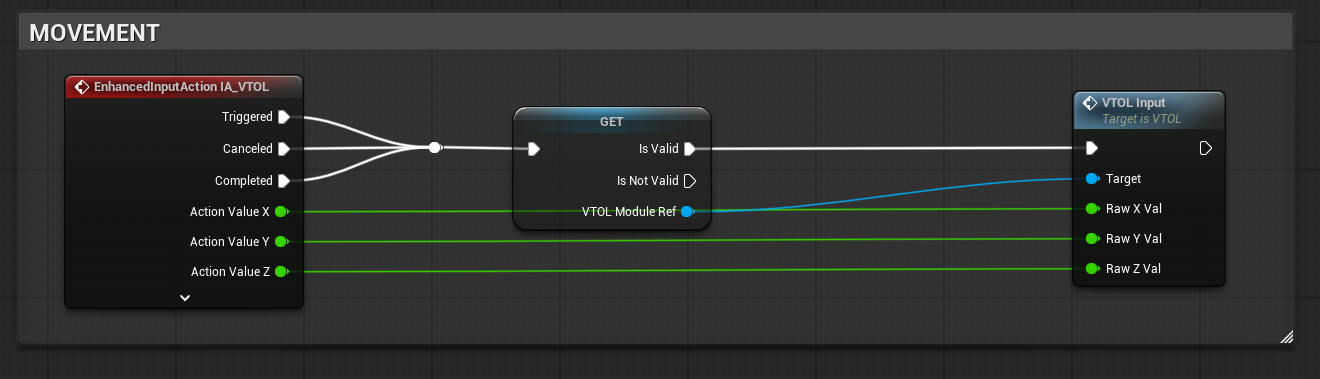
Movement itself had to feel as though it was affected by thrust and counter thrust, the use of LERPS were heavily employed to drive a consistent movement but more importantly the sense of fluidity as the movement “catches up” based on a LERP-rate. This creates a sense of “floatiness” that would be implied by a VTOL driven craft
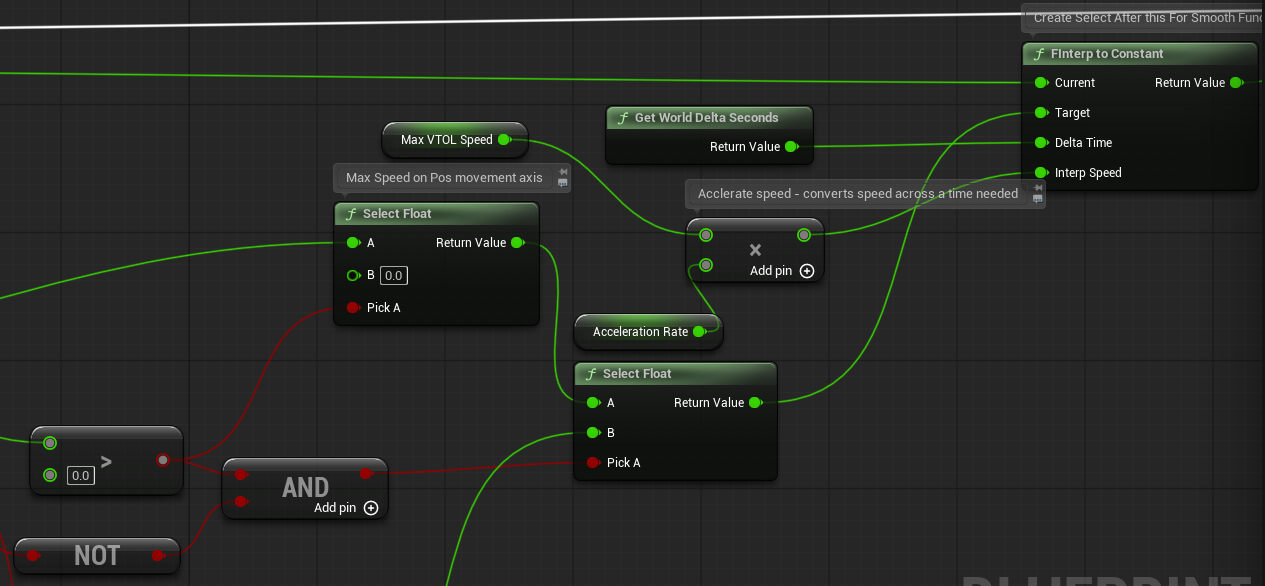
If Input received is true, accelerate from rate - False, decelerate to 0
(Selects process faster than Branches and are intended to flow backwards.)
Dodge & Boost
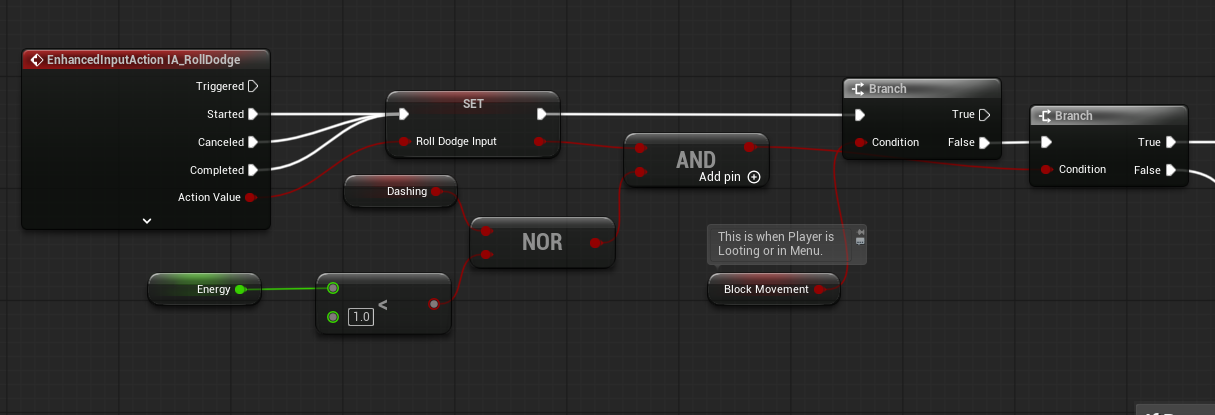
Stacked into the functionality of the VTOL is a swift Dodge roll (tap shift) that will follow into a boost (hold shift + Direction) that provides a quick escape for the player and adding complexity into the move set. It was admittedly quite complicated to have the dodge and boost feel fluidly complimentary to the regular movement; such sharp redirections and movement
Energy
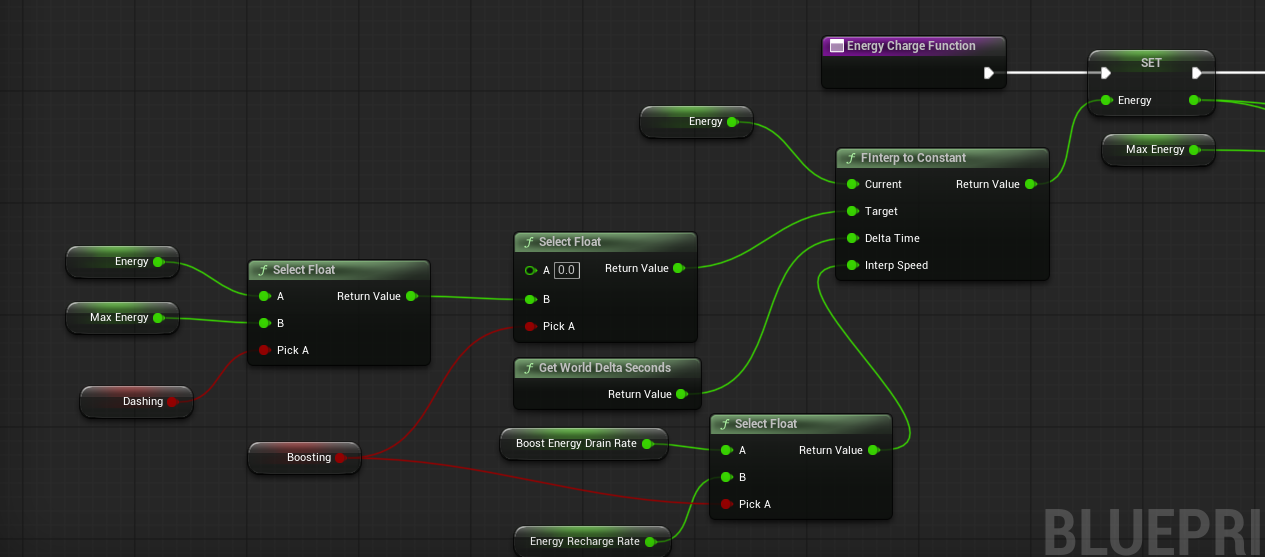
The dodge and boost are reliant on “Energy” a restriction set in place to make these added movement abilities more meaningful in how and when to use them. Energy recharge rates are intended to be dependent on the type of VTOL.
Fuel
One of my favorite additions to our game-play loop overall was adding a fuel drain that would decrease at different rates (moving, boosting, idle.)

Fuel can be replenished by either “Siphoning fuel” from deceased enemies (incentivizing combat) or by doing something that I am especially fond of which is burning up items from your inventory!
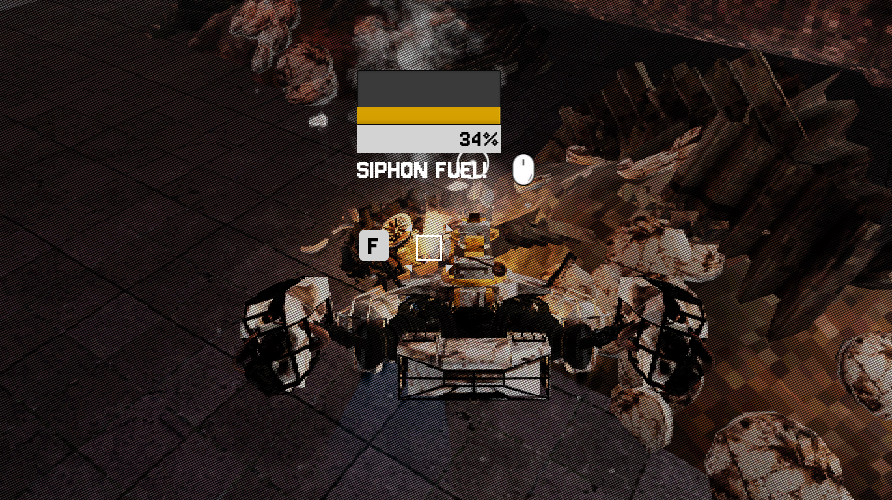
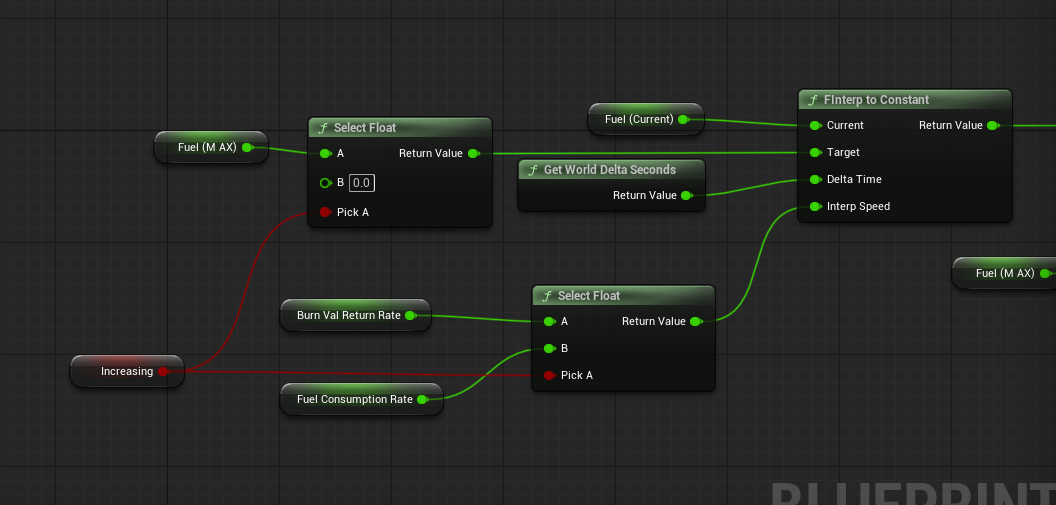
Once the player runs out of fuel, they will lose around 76% mobility and become unable to boost or dodge, slowing them to a crawl and making them vulnerable. Killing the player upon running out of fuel is too punishing and the tension created by making them more exposed when low on fuel is vastly more interesting in terms of game-play encounters.
Item Burning

Each item has a burn length and burn rate (some burn fast and return a lot of fuel while others return minimal fuel but burn for a long time) acting very similarly to Mine-crafts furnace and burnable items. The idea behind this is that instead of dropping or recycling items, you would burn it to allow your craft to last longer and thus push deeper into the level. This is a pretty critical feature to include because it means that maximizing inventory space has a direct game-play affecting return by letting you last longer; it gamifies what is usually a menial process.
The Item Burning was actually inspired by both mine-craft furnace’s and don’t starves constant “tiding over” game-play when it comes to food. A delightful benefit was adding use and value to every single item in the game at all levels of play.
World Interaction
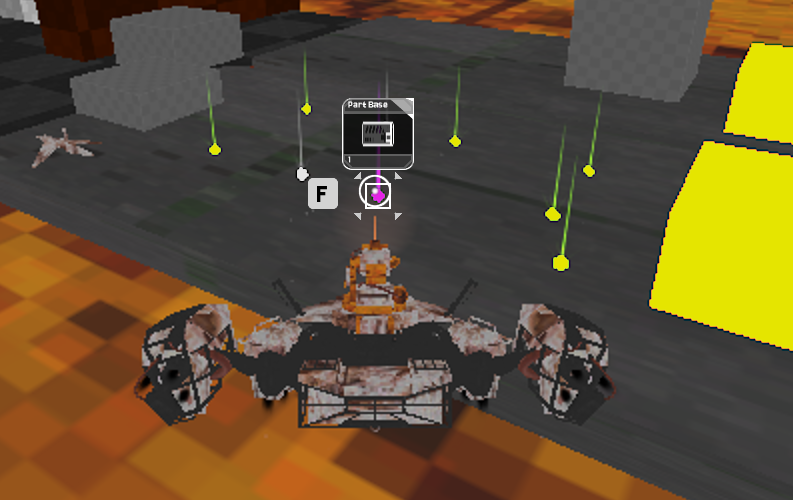
Much like the VTOL, the player has been given an “Interaction Component” which handles all of the interaction points found within the game.
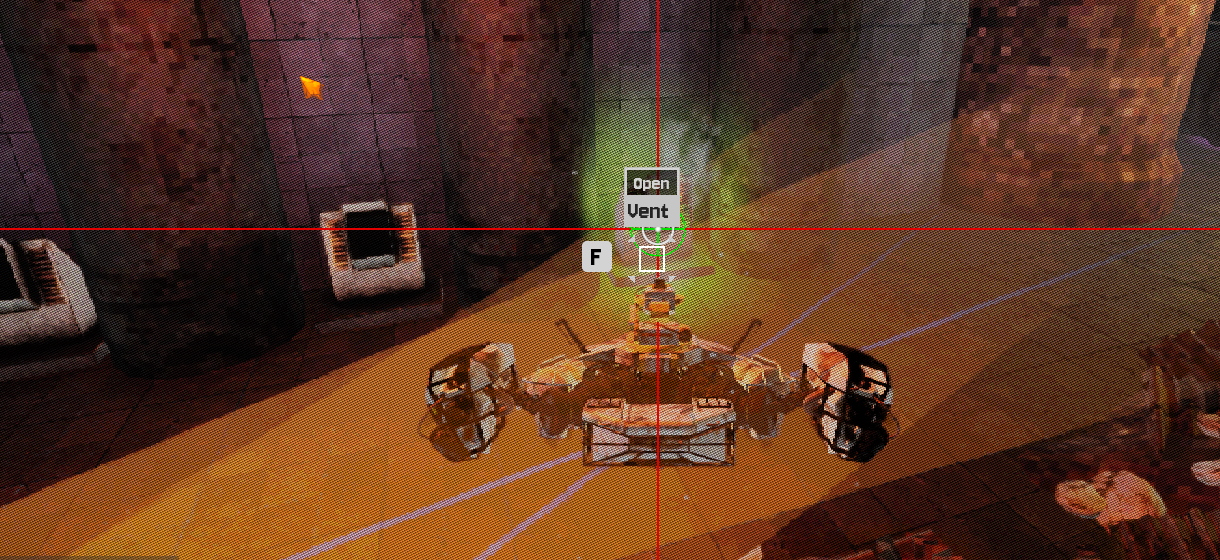
Interaction Trace
One of the most tricky aspects of that interaction was the trace that is fired continuously, causing a reaction when looking at world items that meet the criteria.
Interaction Widget
Originally, each object would have had it’s own widget(s) assigned to it, that would react and show itself/hide itself based on the “Is being interacted.” and on what context. It ranged from an Item Box, name tile and even enemy information.
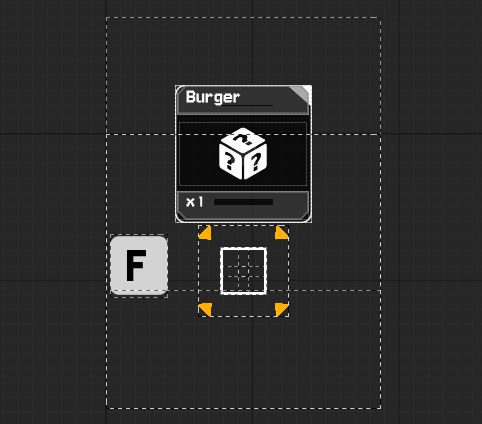
However, it was changed to a single widget that would actually dart around the screen to the target and then track until not viewed helping to reduce the amount of widgets being created. It had the added benefit of looking much slicker and more fluid as it transposed itself from target to target. As a point of pride, this widget is virtually unbreakable for something so initially awkward and It is something I remain very pleased about!
OBJECTS
Transient Persistent Objects
As our game is a loot driven economy and so that means representing items across inventory UI, world objects and more - In essence we needed a transient Item that’s data was understood across the game but more importantly was instantiated. Instantiated being important because of things such as durability or item quantity being remembered from item to item.

Data Tables were ruled out because they just store read-only data. Data-Assets are the expected choice but I became intrigued by Generic OBJECTS due to each thing having an associated Blueprint, meaning that items themselves can contain the ability to trigger events - Such as healing, updating or anything really!
Data Assets do indeed contain a blueprint but only in regards to their parent blueprint, as of right now I am very intrigued by either a Data-Table driven Object or potentially a Data-Asset method since those options are functionally the same, but may contain a more streamlined means of representation in the back-end.
Objects as bones
OBJECTS drive virtually everything in our game, they establish the data that controls
Weapons
Modules (Wings, nose, Cargo, VTOL & Health)
Items
Parts
Gameplay TAGS
I had only briefly experimented with game-play tags once. I found them very interesting from a feature standpoint within Unreal Engine but I hadn’t really found a place or need for them.
However, once I had began working on a universal OBJECT to drive our looting game I realized that filtering Objects by type would need to be more granular when trying to find an Item that falls inside of several categories.
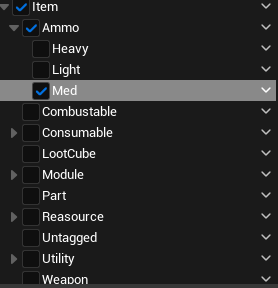
SOL CONSTRUCT Gameplay Tag Categories
I had seen people using ENUMS to use as filters but that is limited by being only ONE option at a time.
An ENUM is only able to be one option at a time

Ammo Selected (Category)

Light Ammo Selected (Sub-category)
On the other hand game play tags can allow for numerous sub categories to be specific - Gameplay Tag Containers can actually have overlapping selections also.
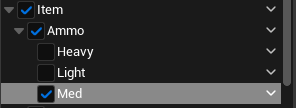
This increased specificity became invaluable when creating filters but more importantly knowing what item was equipped or de-quipped through UI events.
Game play tags are probably one of the biggest game changers I have ever encountered when using Unreal engine, right next to Interface events and Event Dispatchers.
The biggest problem with Gameplay Tags is getting those more specific “sub-tags.” They often require you to find a Broader tag first, then use a switch to search within that category. Sometimes, in particularly horrid examples, you have to get creative with how you choose between a tag via selects, which brings me to my biggest dislike of gameplay tags - they have limited use with selects!
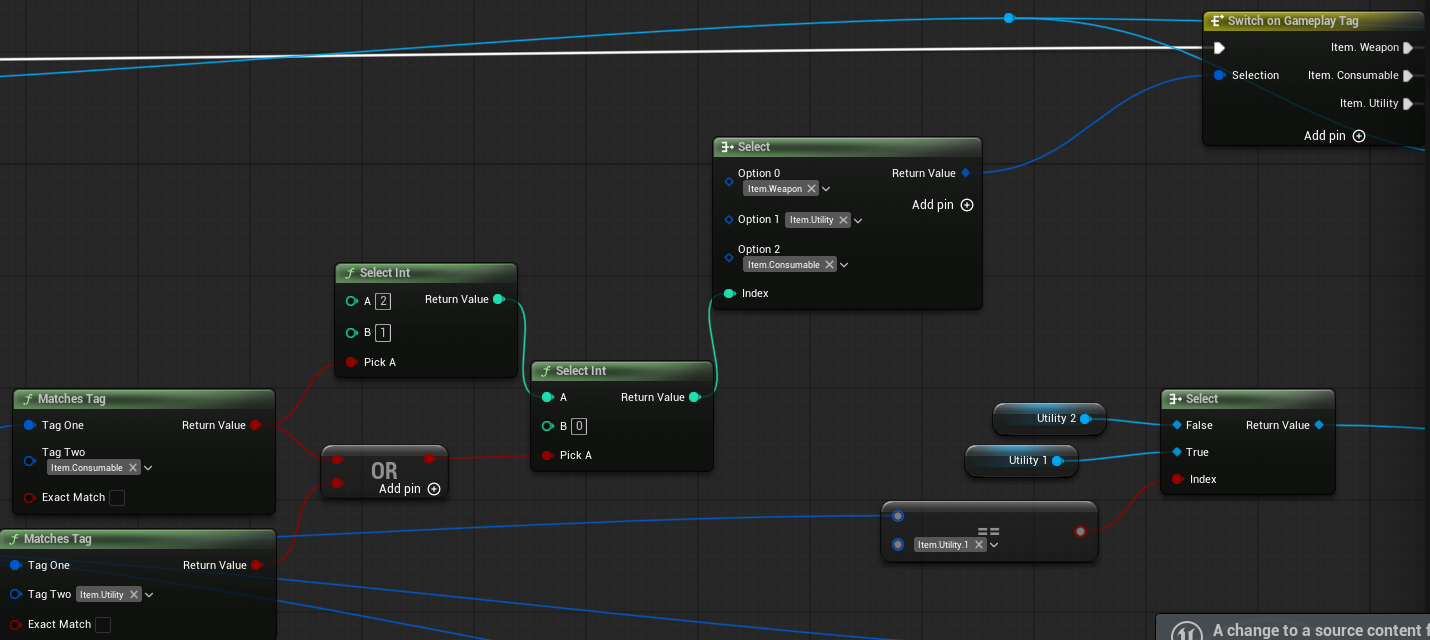
Awkward Sorting Methods Needed for Gameplay Tags
ITEM TILES
We really wanted that tactile sensation of shifting items around in an inventory, rather than a static list; it is a game about messing with junk and items so that should be represented in game-play.
I created a drag and drop tile that would be universally used to represent Items in all forms and could shift it’s design and information based on needed context. The tile was expanded with each new function it needed to perform and currently is capable of
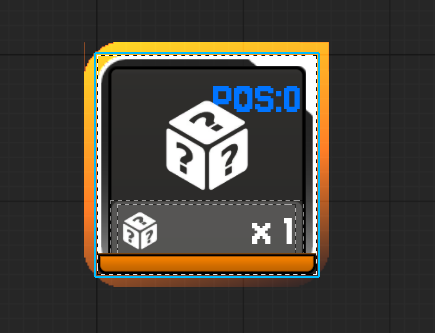
Dragging/Dropping (Only drop-able if Item matches tile filter)
Splitting (Even & Odd Numbers and not splitting a value of 1)
Stacking (Not Stacking over a maximum or item of the wrong type)
Swapping (Only of an item of a different type.)
ITEM GRID
The Tiles themselves are simply conduits that house an Object inside of them, when the object is valid it shows itself using the data held inside, such as the image, name and number held within. However, if it’s empty it hides - A grid is made from a number of Generic Item Tiles which are then populated based on a bunch of items held within an array.
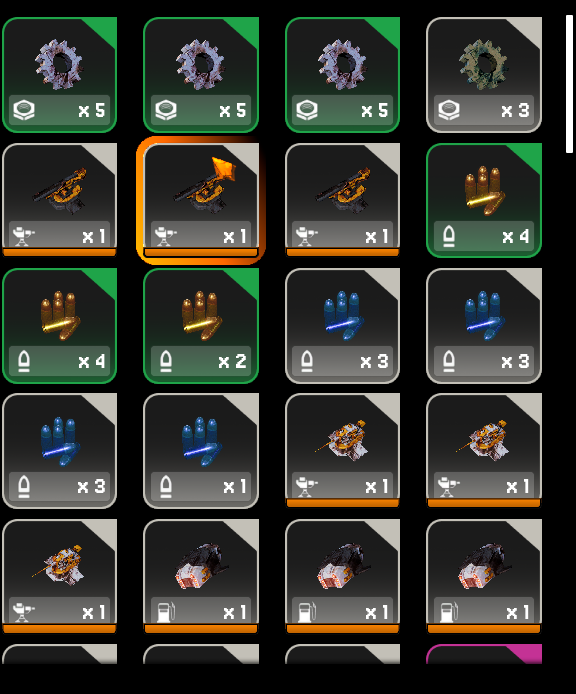
The Item Grid is actually what sends more important data between places, such as when an Item Tile within it has been changed (to alert something else bound to that particular grid) or if something should be refreshed; think of the Item Tile as a bike bell ringing which causes the grid to sound an air horn.
MODULES
An example of something an Item Tile and it’s carried Object would affect would be the ship modules. The Object houses the relevant skeletal mesh to spawn, checks the module type which gleams the spawn socket and then activates it, sending through it’s performance metrics depending on the category!
When an object has spawned an associated item in the world, it adds it to a pool that either hides or reveals it based on it’s “active” status helping to cut back on overwhelming the amount of assets.
This same process is handled for the following
Ship Modules
Utilities
Weapons
World Items
Consumables
While each of the above is driven by the same core elements, they each have their own specific differences.
Utilities
have an associated actor item which can fire automatically or repeatedly, it can be reloaded with another item similar to weapons.
Modules
take damage and have an associated skeleton, their durability affects how well they perform in their respective areas.
Consumables
are single use items "(that can stack) and have an open ended design to have any possible use.
World Items
simple meshes that have specific models to represent them in the world.
WEAPONS
Firing Functionality
The weapons given to the player are all derivative of a Master Weapon that inherits generic functions and receipts from the Player interaction system (Inventory)
An example of this is when a weapon is equipped, the interface function “Weapon was triggered” is fired and that starts a routine. You will notice two things

It uses the word Triggered instead of fired
Each weapon does not act like a semi-auto instantaneous rifle as we might imagine; some guns might need to prime themselves by charging up and then on release they fire and other weapons will have automatic function that rely on a “trigger held” state to know if that repeating function should continue.
There is a Boolean.
That boolean is most important when it comes to reloading; it’s so that if the player holds the trigger during a reload that upon completion the weapon will resume firing fluidly. (I was inspired by Gears of War for this, I noticed it there as a mechanic and realized how much it helps game flow.)
Weapon Accuracy and Dispersion
Every weapon is bound by a universal and consistent dispersion circle with permeating characteristics
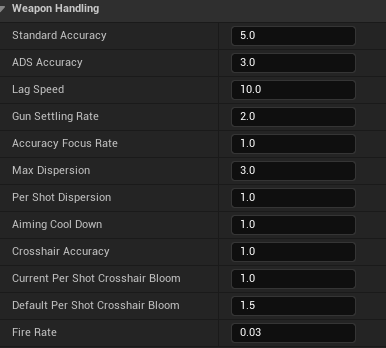
The Circle Size is accurately representative of where shots can deviate to. (Dispersion)
The Circle will expand with each shot to a maximum size (Dispersion per shot & Max Dispersion)
When not shooting, the circle will wait a moment before Dispersion will reset to a default value at a set speed (Aiming Time, Aiming Speed & Base Dispersion.
The Circle lags as the gun aims to a new location
All of these metrics are in place to create a sense of “gun handling” - the kind of game feel that can communicate the weight or role of a weapon through it’s functions rather than just a description.
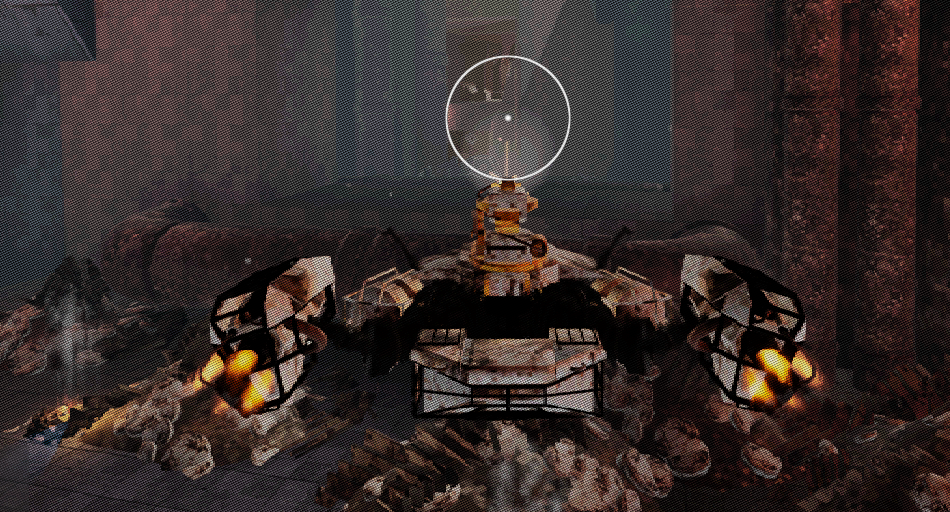
A gun that aims slow, looses a lot of accuracy when firing and has low accuracy to begin will implore a player to treat the weapon with more consideration than others as it’s reliability in high reactivity situations is significantly lower than the snappy, fast firing high accuracy weapon.
These metrics allow for the personality of the weapon to be communicated in more subtle fashions than broad characteristics such as fire rate or damage; there can be an added distinction between two weapons of the same class and characteristic with subtle role indicators - For example, two Semi Auto rifle type weapons, able to fire as fast as each other, regardless of damage dealt, if one has it’s circle bloom harder with each shot then it will communicate to the user that more care and precision is needed which will reinforce it’s role
BELT LOADING SYSTEM
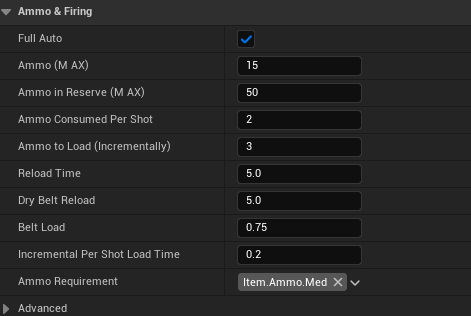
Much like weapon handling, all weapons have a universal loading system which is able to replicate any weapon loading style.
It follows a belt system which loads from a reserve using the below flow:
Shots fired will empty belt
When Gun Stops shooting, a delay will occur and then top-up the Belt from a reserve box.
If the Reserve box is empty the gun will search the player’s inventory for an ammo item of the right type
If found, the ammo item is consumed from the inventory, the reserve is refilled and the belt will begin topping up again.
This was vastly preferable to a manual reload because hard stopping combat due to a reload being necessary hurt the flow of the flight based combat. With this system, when the player re-positions or let’s their aim circle settle the delay is very likely to trigger a top up meaning the player will get into a rhythm with their weapon and keeping it loaded - Pushing and pulling the engagement in relation to their loaded amount
Enemies
Enemy Core
I created the main base for enemies that contain the generic interactions that all enemies need to process such as being destroyed, activating, being registered as an entity in a spawn system ect.
The enemy core was not given any behaviors though, mainly because it is wise to save specifics for “Class Masters” such as a “Flying_Enemy_Base” or “Ground Enemy Base” and then pass those particular requirements done.
HEALTH LAYERS
Much like the VTOLS, I created a “bolt-on” health system that could be simply added to anything at anytime to make it take damage and respond to a standardized feedback style "(Health bars, hitmarkers ect.)

This took the form of the Health layers. They had to be modular enough that they could be added to any object and contain any type of health. This is relevant because of our tag-based damage types, like armored, shielded, normal. By adding a layer, you could assign a type, strength and thus a resistance to a weapon.
The Health layer could pass down events to it’s owner like critical damage or a layer being broken - when the enemy ships spin out that is actually caused by the health layer.
Conclusion
I am such a firm follower of modular code that I tend to prefer building the tools needed for rapid content generation that anything else. In the past, I heavily struggled with my ability to scale down the potential of what any given thing in our game should be able to do.
For example, instead of creating a base weapon, then a shotgun type weapon (that would dictate the specifics of all subsequent shotguns)n- I would attempt to make the base weapon contain the functionality of all weapon types at once with no delineation present but that meant that things became very slow, overcrowded and complicated. I was consistently paralyzed by making something out of fear of “feature lockout.” That being, the fear of not being able to add anything needed in the future because older code was too wrought with absolutes.
Through this project I finally learned to embrace bespoke functionality between code and how/when to apply “modularity.” It has vastly improved my working speed and uplifted my clarity when it comes to features; it is absolutely fine to add and remove mechanics when it comes to testing viability.
If something seems like it works on paper, but doesn’t work in practice then trusting your instinct and having the courage to uproot a failed idea is so paramount to maintaining momentum.
With this project I also learned how to limit feature creep. SOL CONSTRUCT is a mechanically dense game admittedly, but that’s simply a result of the genre and style; The existing features are all necessary to the experience and not frivolous. I absolutely refused to simply add something because I wanted to test myself in making it.
I wanted to make a conscious effort to learn how indecision was being nurtured in my approach to game development and with this project and especially over the last 3 months I have managed to source and cauterize a significant amount of my slowing bad habits when it comes to work.
There was no “easy” decisions, the design and building of SOL CONSTRUCT has been a very bespoke series of problems; the genre, style and needs of the game turn most things into more experimentation than felt comfortable at times. Something as banal as weapon reloading became a massive sticking point for me, not to mention interacting with objects and how that occurs.
